自定义css设置Zotero笔记标签页内容占满幅宽
隐藏首选项编辑器打开方式
- 打开设置Open Settings
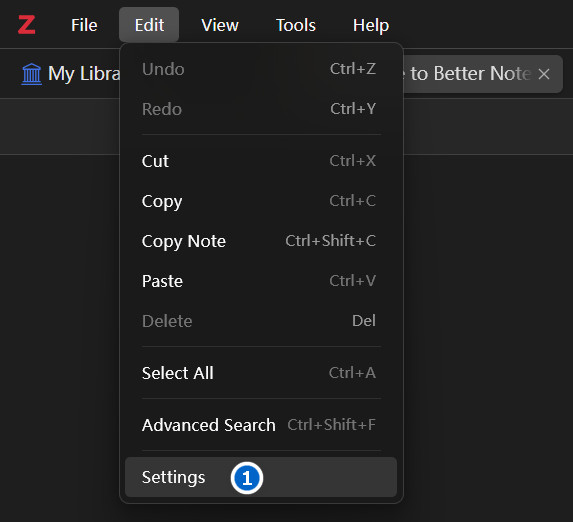
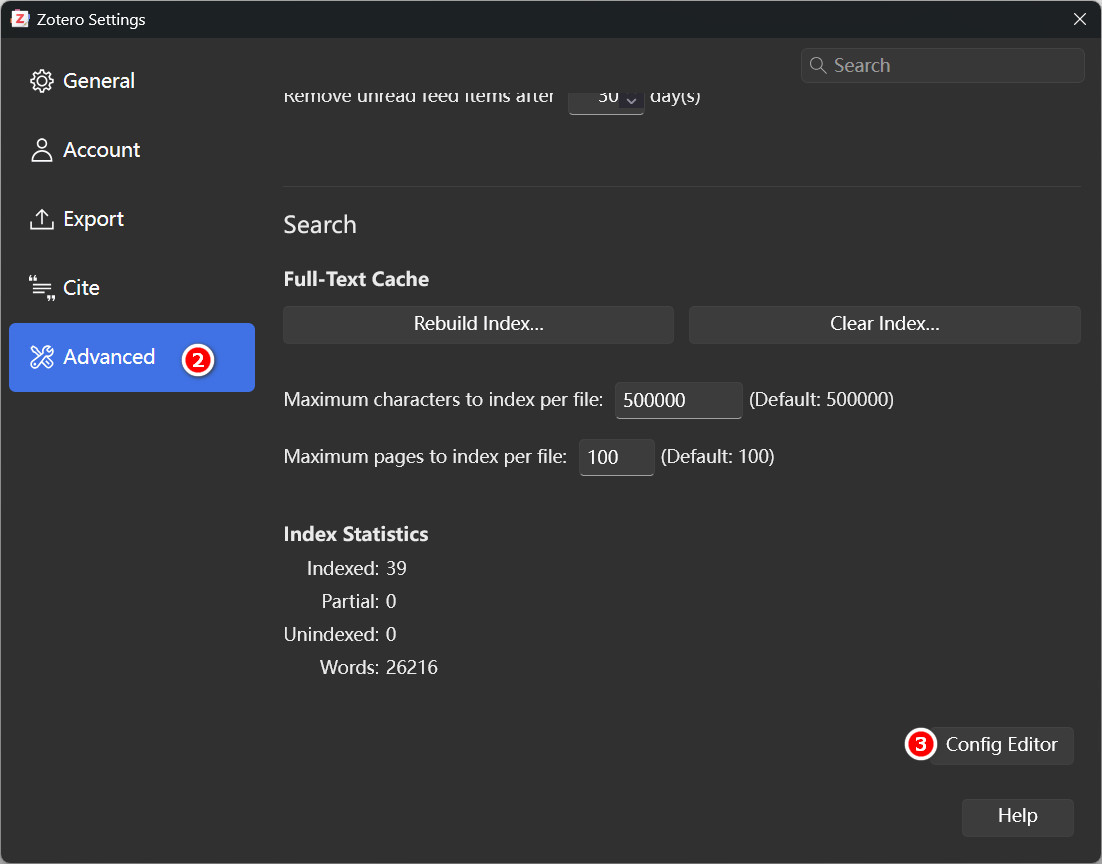
- 点击高级Advanced,点击页面最下方设置编辑器Config Editor
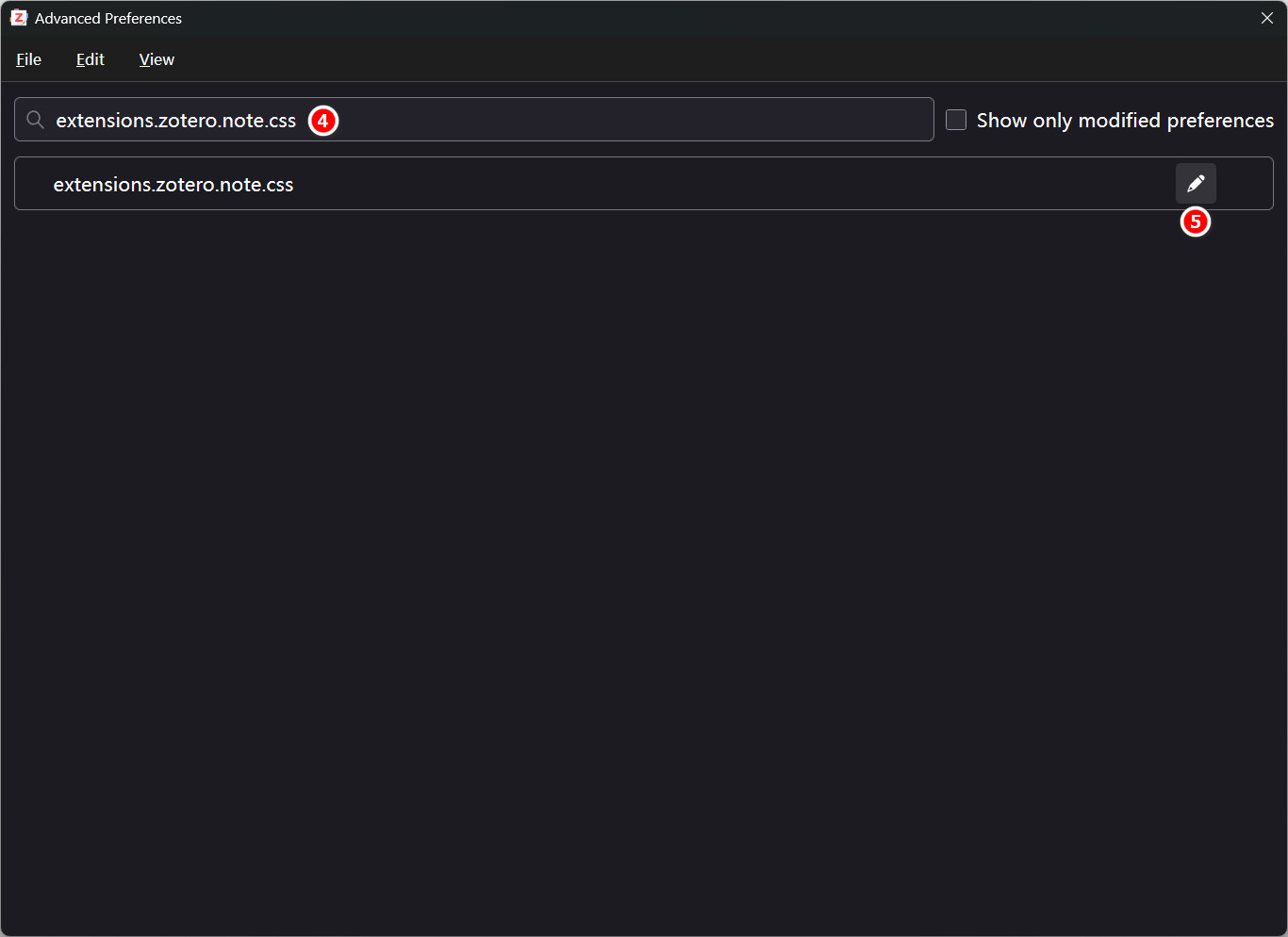
- 搜索
extensions.zotero.note.css首选项,点击编辑
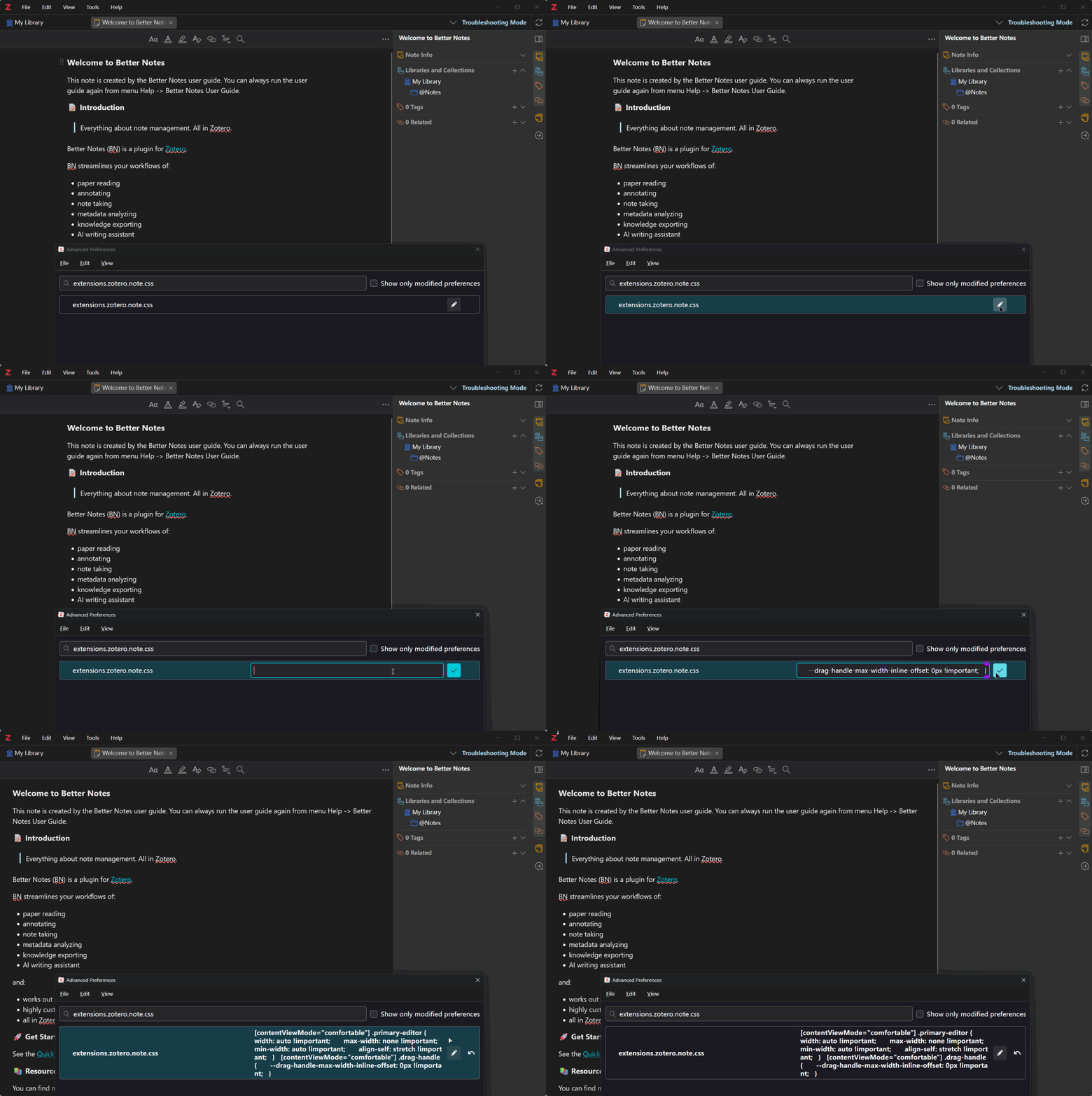
extensions.zotero.note.css首选项设定值
- 编辑
extensions.zotero.note.css首选项,粘贴以下css内容并保存即可
| extensions.zotero.note.css |
|---|
| [contentViewMode="comfortable"] .primary-editor {
width: auto !important;
max-width: none !important;
min-width: auto !important;
align-self: stretch !important;
}
[contentViewMode="comfortable"] .drag-handle {
--drag-handle-max-width-inline-offset: 0px !important;
}
|
See Also
Zotero-noteTab-wideContentView.md | Github Gist